
What is Norton Neo?
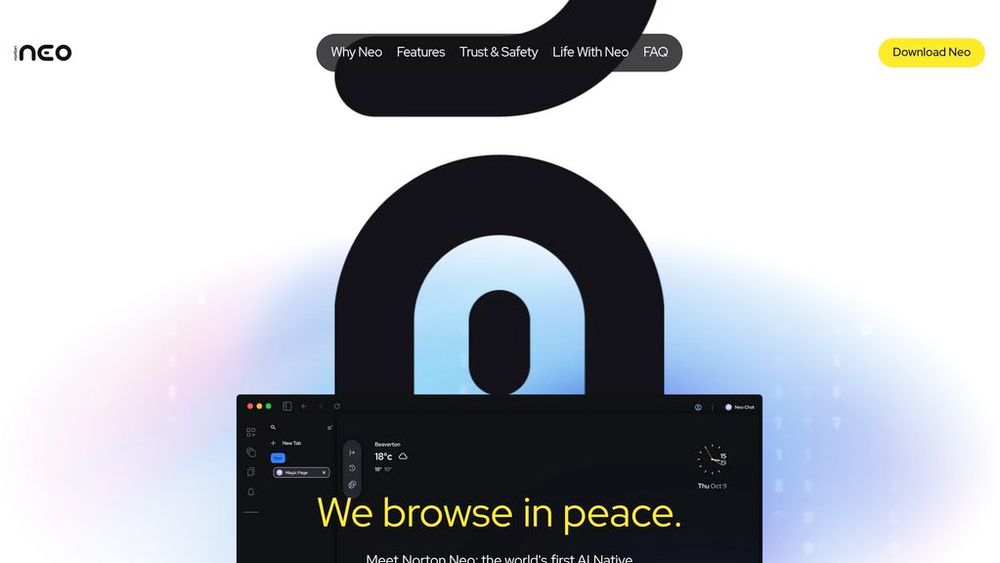
Norton Neo is a next-generation web browser engineered from the ground up with artificial intelligence at its core, rather than as an afterthought. It serves as a personal digital assistant that anticipates user needs through proactive features while maintaining strict privacy standards. The browser unifies search, chat, and productivity tools into a single experience designed to reduce friction in online tasks. A hybrid architecture processes information locally on your device whenever possible, with optional cloud processing only when necessary, giving users complete control over their data. Protected by Norton Web Shield against malicious sites and phishing attempts, Neo delivers both intelligent browsing and enterprise-grade security without compromise.
Key Features Magic Box Control Center
Unified AI command center that handles searches, content generation, task management, and contextual assistance through a simple interface without requiring manual prompts or commands.
Local-First Hybrid Processing
Performs AI processing on your device by default for speed and privacy, with cloud processing available only when you explicitly choose it, ensuring data remains under your control.
Smart Tab Organization
Automatically groups and collapses similar tabs by topic or category, reducing browser clutter and helping users stay focused on what matters without manual management.
Configurable Memory System
User controls what the browser remembers—preferences, projects, websites, or nothing at all. All stored information is visible and editable through settings, with the option to disable memory completely.
Norton Web Shield Protection
Real-time defense against malicious websites, phishing attempts, and AI-generated scams with built-in ad and tracker blocking for cleaner, faster browsing.
Contextual Writing & Research Tools
Built-in typing assistant, document summarization, article previews, and one-click actions like Extract and Draft enable faster content consumption and composition.
Use Cases Research and Learning : Students and researchers accelerate information gathering using page summaries, quick context previews, and consolidated knowledge from multiple tabs without switching between tools. Professional Content Work : Writers and content creators leverage the typing assistant and summarization tools to streamline drafting, editing, and fact-checking within the browsing environment. Privacy-Conscious Browsing : Users who value personal data security benefit from local processing, customizable memory controls, and transparent privacy settings that put them in charge of what information is kept. Productivity and Task Management : Professionals and power users organize workflows through smart tab grouping, automated reminders, and contextual task suggestions that reduce manual workspace management. Online Shopping and Comparison : Shoppers use side-by-side comparisons and AI insights to evaluate products across multiple tabs more efficiently without tab chaos or manual note-taking. FAQs
- Is Norton Neo free to use?
- Does Norton Neo track my data like other browsers?
- How is Norton Neo different from Chrome or Edge?
- Can I use my Chrome extensions with Norton Neo?
- What platforms does Norton Neo support?
- How does local processing work? Will my data go to the cloud?
- Does Norton Neo work with password managers like 1Password or LastPass?